
Mobile services
Bookings for businesses that go to the customer
If you go to your customers, a gap in your diary doesn't mean you can actually get there. Tell Konreservas which postcodes you cover and how much time to hold for getting there and back, and customers book within that.


What a booking system for mobile businesses gets you
Only where you go
Customers give their postcode before seeing any times, and outside your areas they can't book.
Time to get there
Every visit holds the minutes to get there and back in your diary.
The address, on the booking
And each professional sees the address of their own visits in their diary.
Weekly customers
For regular visits, you set up a series from the dashboard.
Areas
Service areas by postcode: bookings only where you go
Create an area for each neighbourhood or district and enter its postcodes. You don't need every code in full: the start of a code is enough, and it matches everything that begins that way.
- For each service you choose whether it's offered only within your areas or at any address.
- With areas, the postcode is asked for before any times are shown, and anything outside can't be booked.
- Below the field, customers see the names of your areas.
- You turn each area on or off whenever you like.


Travel time
Travel time before and after each visit
A visit takes more of your diary than the job itself: the time to get there and the time to get back. An hour of makeup with half an hour either side blocks two hours, and the next customer can't book that slot.
- You set the minutes on each service and, if an area is further away, give it its own minutes.
- Travel time is held in your diary and customers don't see it: they only see the times you can be there.
- If you change a visit's address, travel time is worked out again and the customer is told.
- You set the time yourself, with no maps or mileage, and it applies even if two homes are on the same street.


How customers book
Booking a home visit, in four steps
From your website, your link or your QR code, with no account needed.
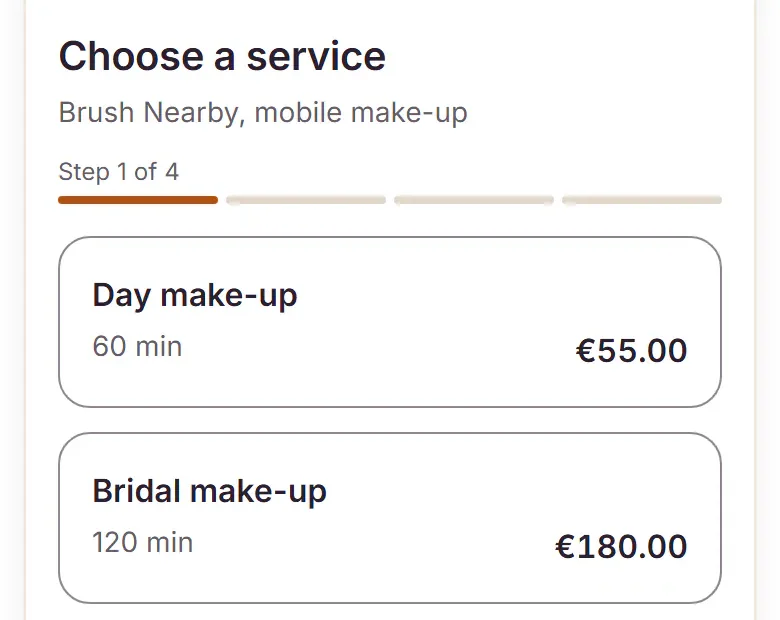
Choose the service
With its length and price. If you work by area, they give their postcode before seeing any times.
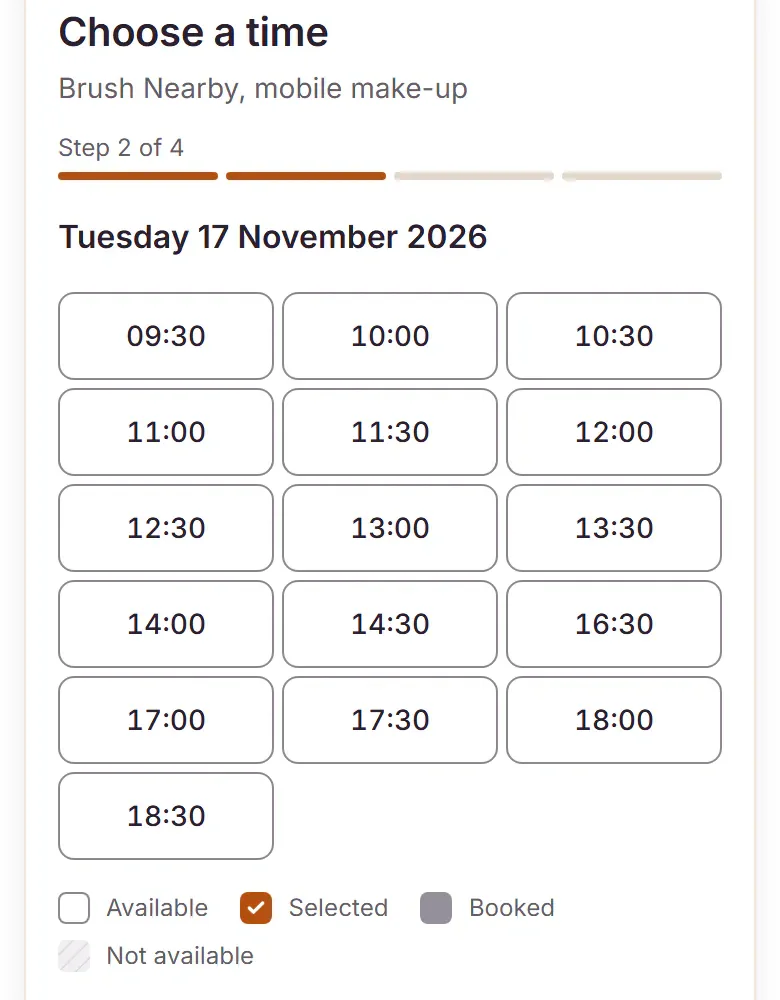
Choose the day and time
They only see times that fit your hours and your travel time.
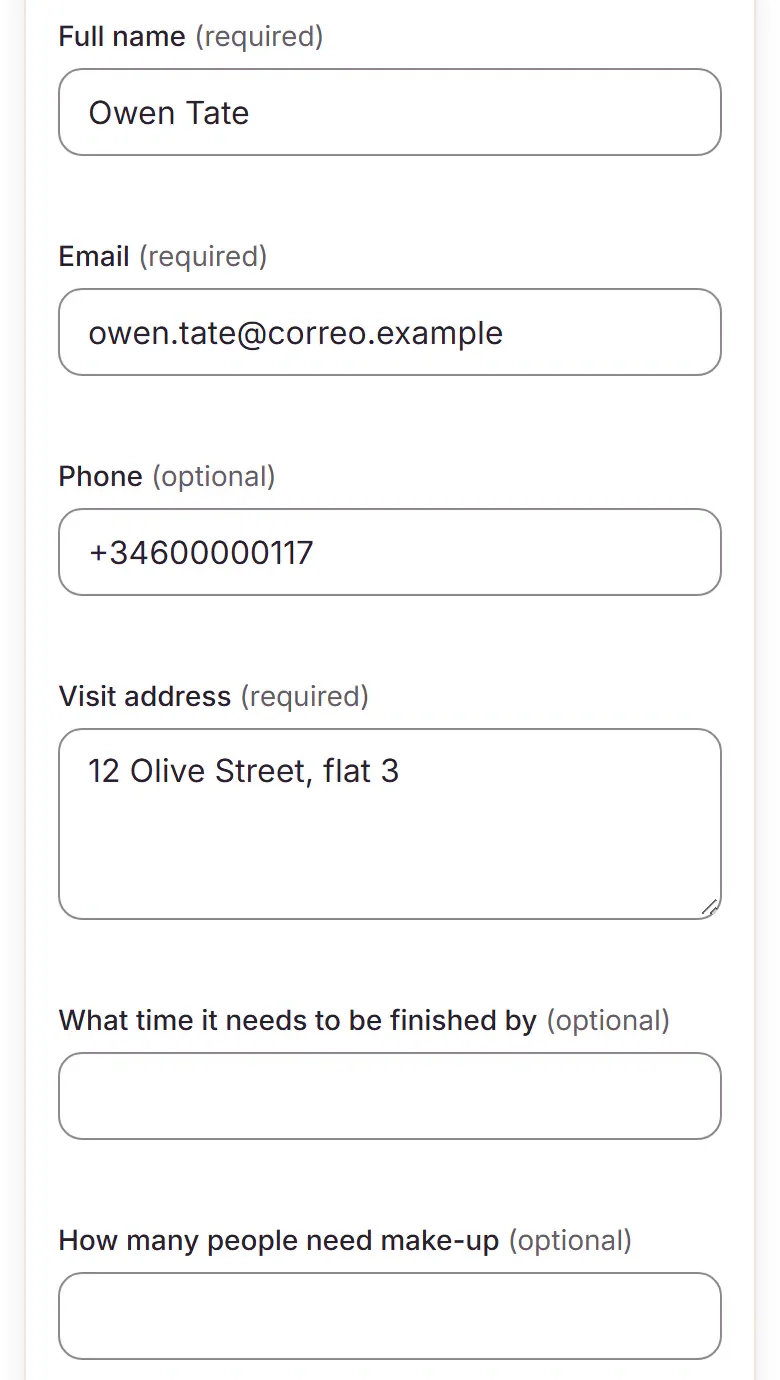
Enter their details
A name and email, a phone number if they want to give it, the visit address and whatever you've chosen to ask.
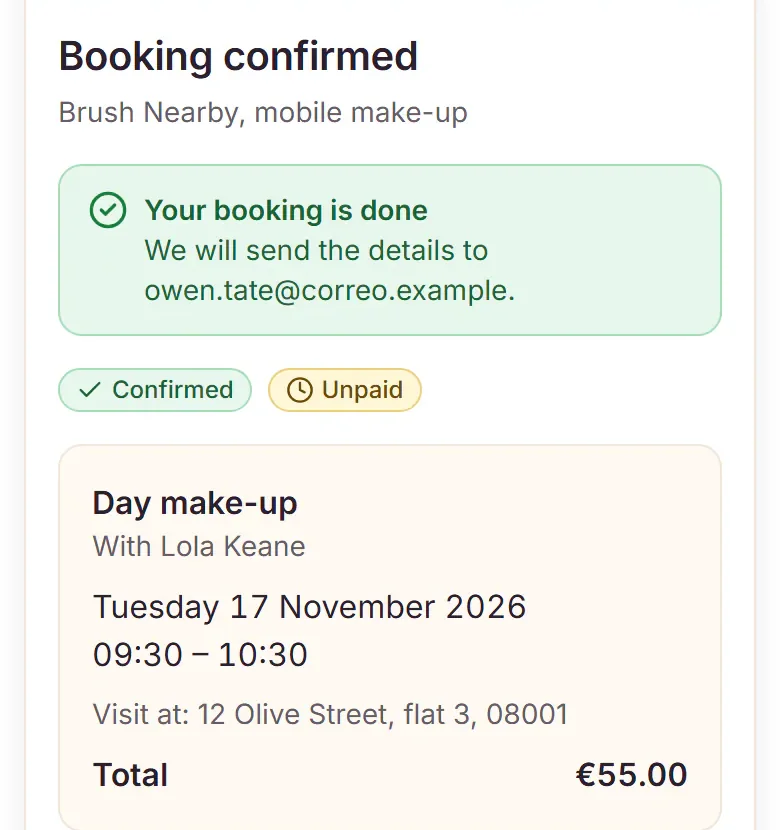
Check and confirm
The visit lands in your diary with its address, alongside the rest of your day.


Your team
Each professional, with their own diary and visits
Each person signs in with their own account and role: administrator, staff, professional or read only. A professional works from their own diary.
- Each professional sees the address of their own visits and no other contact details: not the customer's email or phone number.
- They see the address to get there, not to change it: that's done by whoever manages bookings.
- Customers choose a person or whoever's free, and in the diary you filter by professional.
- If you work alone, you see it all.
Regular visits
The every-week customer, with a series of visits
Customers book each visit, and for regular visits you can set up a series from the dashboard.
- You choose the days, the time and how often (every so many weeks), up to an end date or a number of visits.
- You say where you're going, and before creating it you see which dates clash with your diary.
- When a date overlaps another visit, you decide whether to create the ones that fit or skip the series altogether.
- You change or cancel one visit or the whole series, and every visit has its reminder.

Before you accept
Look at the job before accepting it
For jobs you'd rather see first, set the service as a request: the visit is set aside in your diary with nothing charged, and you accept or decline it yourself.
- If you don't reply in time, the slot is released and both sides are told.
- Customers know before they ask: they see that you confirm that service yourself.
- In the dashboard you have every request together, with the service, the date and each visit's address.


Payment
Get paid when they book or on the day you go
Each home service has its own way of paying, and the price is the same in all your areas. You take payment with Konreservas integrated payments, your own Stripe account or your bank's virtual POS, or they pay you on the day of the visit.
Integrated payments with Konreservas (Stripe): 0.5% on each payment you take, plus Stripe's fees. Security deposits you ask your customers for carry no Konreservas fee. See Stripe fees.
Deposit or full price up front
The visit is kept for the customer for as long as you give them to pay; once the payment is in it's confirmed, and without it the time goes back into your diary.
On the day of the visit
If the visit has no advance payment, it's confirmed as soon as they ask for it, and you're paid at the customer's home however you've agreed.
Per person
If you see several people at one address, the customer says how many, within the limits you set, and the visit costs that number times each person's price.
By bank transfer
The customer has until the date you set to transfer; the visit stays in your diary and you confirm it when you see the money in your account.
Priced once you've seen the job
If you don't know the cost until you're at the customer's home, the service is priced on request. When you finish, you enter the amount on the booking and the customer gets it by email to pay.
If something goes wrong with a payment
A late payment or a chargeback is logged as an issue in the dashboard, and you get an email so you can look into it.
Will it fit?
Will a booking system for mobile businesses suit the way you work?
How it works out depending on how you work.
| If you… | What to expect |
|---|---|
| Work alone, in a fairly settled area. | A natural fit: your areas, your travel time and your diary. |
| Have a small team, each with their own hours and services. | Each professional has their own diary and sees their visits with the address. |
| See customers at your premises and at home. | You offer appointments at your premises and home visits from the same account. |
| Have areas that are further away. | Each area can have its own minutes to get there and back. |
| Charge extra for distance. | The price is the service's price, whatever the area. |
| Dispatch crews with job sheets and parts. | For that, you keep your field service software. |
Where it fits
Trades that go to the customer
It works for any business that goes to its customers' homes. Here are some trades where it fits well.


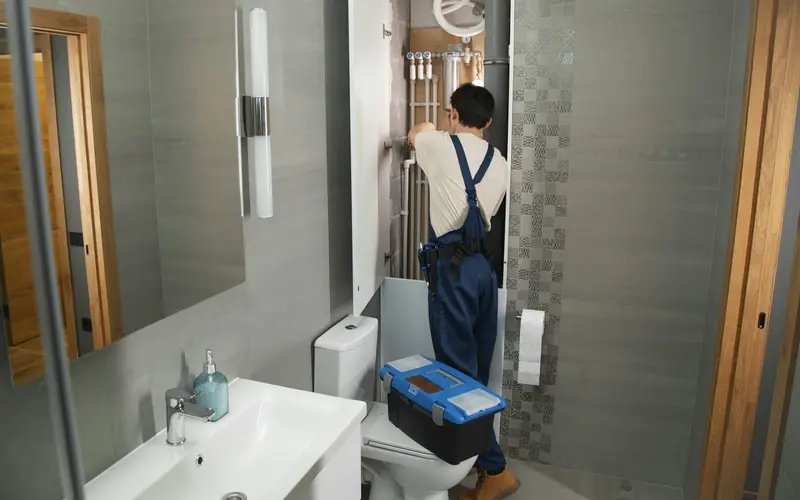


- Try the demo: Home repair technicianType a postcode in the area and request the technician's visit, just as a customer would.


Frequently asked questions
Does it work out how long it takes to get from one job to the next?
You set that yourself: you choose how many minutes to hold before and after each visit, and that time applies even if the next job is on the same street.
Can someone outside my area book?
Not if that service is limited to your areas. They enter a postcode before they see any times.
Will my staff see where they're going?
Yes. Each professional sees the address of their own visits and no other contact details. A professional works from their own diary.
How much does it cost?
The number of visits you do doesn't change the fee: you pay a monthly amount in euros, VAT included and with no minimum term, depending on the plan (Essential, €19; Team, €49; Business, €79). Areas, buffers between visits and home-visit series come with all of them; Team and Business also give you free migration of your customers and your services from whatever you use today, wherever possible. If you take payment for the visit up front with integrated payments, which turn on with one button: 0.5% on each payment you take, plus Stripe's fees. Security deposits you ask your customers for carry no Konreservas fee. See Stripe fees. If customers pay for the visit through your own Stripe account, your bank's virtual POS via Redsys, bank transfer or in person when you finish, Konreservas charges no commission per booking; whatever your payment provider charges is separate. See it plan by plan on the pricing page.
Can I charge more for going further?
No: the price is the service's price, whatever the area.
What if I've no visits left that day?
Turn on the waiting list for the service: customers inside your area can sign up for that day's morning or afternoon. When a visit is cancelled, the first one on the list receives an email, and a WhatsApp if they asked for one, with a link to take that slot.
Is there an app to download?
Your customers install nothing: they request the visit from your link, in the browser. You and your team can run the diary in the iOS and Android app or open it in your phone's browser, which adapts to the screen.
Let your diary know how far you go
Start with your services, your areas and the time you need to get there.