
For businesses that run on bookings
One online booking system for appointments, classes, home visits and tables
Built for businesses in Spain. Customers pick a time and book online, day or night, without having to call you. Konreservas only offers what's genuinely free (your team, your rooms and your places). Bookings, payments, the till, invoices and your quarter prepared for your accountant, all in one dashboard: your whole business, 360°.
15-day free trial · No card needed · No minimum term · From €19/month incl. VATBlack Friday: from €5.70/month for your first 3 months, incl. VAT


New bookingConfirmed
Owen Tate
Haircut + Colour · with Priya Dale
Tuesday 17 · 09:30 – 11:45

New bookingConfirmed
Owen Tate
Haircut + Colour · with Priya Dale
Tuesday 17 · 09:30 – 11:45
New bookingConfirmed
Owen Tate
Haircut + Colour · with Priya Dale
Tuesday 17 · 09:30 – 11:45
Find your kind of business
Every business books its own way. Pick yours and see how it works:


Four ways to book
What do your customers book?
Pick the one that fits your business. Appointments, classes and visits can share the same account.

Appointments with your team
Customers choose the service, who with or whoever's free, the day and the time. Each person on your team has their own hours and services. For hair salons, accountants or garages.

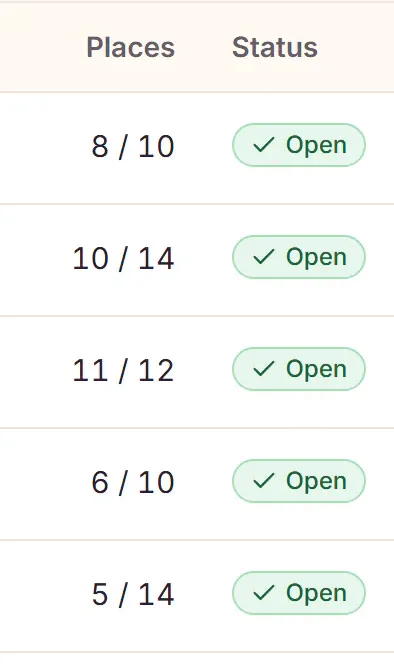
Classes with limited places
Set up your classes with the number of places: once they're full, they stop being offered on their own. Schedule them weekly or monthly in one go, and sell the whole course with a single payment too. Once a session has started, you mark who attended and who didn't. For yoga studios, workshops or tastings.


Home visits
Take bookings only in the areas you cover, by postcode, with time to get from one visit to the next. Each professional sees the address of their visits, and a regular customer's visits can be set up as a series. For makeup artists, repair technicians or dog walkers.


Tables
Customers say how many they are and when they're coming. You can join tables, set how long each booking lasts by group size and avoid everyone arriving at once.
Booking widget and link
Your bookings, right where customers already look for you
Put booking on your website or share your link wherever you already talk to customers. They book from their phone, and you see it straight away in your dashboard.
Your link, in your dashboard

- Your websiteCode or button
- WhatsAppReady-made message
- InstagramProfile and stories
- GoogleYour business profile
- QR codeAt your premises
Customers book on their phone

Integrated payments
Turn on integrated payments and start taking payments in a few steps
With Konreservas integrated payments there's no contract with your bank: turn them on with one button in your dashboard, create your Stripe account on Stripe's site, with no keys to copy, and customers can pay by card when they book. The money goes straight into your account.
- Turn it on with one buttonFrom your dashboard, with no keys or bank contracts.
- Your Stripe accountCreate one on Stripe's site.
- Get paid when they bookCustomers pay by card and the money goes into your account.
How customers pay you
Pick one or several, and change them whenever you like.

Integrated payments with Konreservas (Stripe): 0.5% on each payment you take, plus Stripe's fees. Security deposits you ask your customers for carry no Konreservas fee. See Stripe fees.
- Your own Stripe accountNo Konreservas fee. You need to create and set up your Stripe account and paste its two keys into the dashboard, which guides you step by step.
- Your bank's virtual POS, via RedsysRedsys is the payment gateway Spanish banks use for card payments. No Konreservas fee. You need to sign up for a virtual POS with your bank and enter the details it gives you in the dashboard: merchant number, terminal and signing key. The dashboard guides you.Payment gateway: RedsysBanks: CaixaBankSantanderBBVASabadell and other banks
- Bank transferYou confirm the booking when the money arrives.
- Cash or card, in personCustomers pay at your premises or when the visit is done.
How it looks in your dashboard

More on payments: deposits, payment links and confirmation
- Deposit or full paymentAsk for it when customers book, service by service. The time is held while they pay and, if they don't pay in time, it becomes available again. You can also sell session passes, offer discount codes or ask for a security deposit.
- Payment linkSomething left to pay? Create a payment link from the booking for the deposit, the balance or any amount you choose, and send it to your customer.
- Confirmed straight awayIf a service doesn't ask for advance payment, the booking is confirmed straight away. With a bank transfer, you confirm it when the money arrives.
Invoicing and your accountant
From the booking to your accountant, in the same software
Bookings, payments, the till, invoices and closing the quarter, in one dashboard: your whole business, joined up.
- They book and pay onlineThe deposit or full payment arrives with its invoice, with nothing for you to do.
- Anything left, in storeThe till prints the receipt and takes off what's already paid.
- Everything is recordedIn VERI*FACTU or NO VERI*FACTU, the mode you choose.
- You close the quarterYour accountant gets the VAT ledger and draft forms 303, 130 and 390.
The drafts are for your accountant to check: nothing is filed with the Tax Agency from Konreservas.
See invoicing and accountantSee it in action
What your customer sees, and what you see
One booking, from both sides: what customers do when they book and what reaches you, straight away.


Customers book in four steps
Choose, pick a time, enter their details and confirm. They're only asked what's needed: who with for an appointment, how many places for a class, the address for a visit or how many people for a table. Plus your own questions, if you like.
Everything in your diary
See your day, week or month, filter by team member and check every booking at a glance. Got a phone booking? Log it in the dashboard: find the customer or add them without leaving the booking.
Keeping customers informed
Customers get the confirmation, one or more reminders and any change or cancellation notices by email, in their language and as far ahead as you choose, and on WhatsApp too if they ask for it when they book (in message packs, separate from your plan). And if you'd rather message them yourself, open WhatsApp from the booking with the message already written. You get an email too for every booking, change or cancellation made online, and customers have all their bookings to hand in their portal.
In English and Spanish
Customers book in English or Spanish, with the same prices and times. Add English versions of your services whenever you like.
Customer portal
Your customers get their own portal
They sign in with a link sent to their email, with no password and no app to download. Everything they have with you, in one place and with your business's logo.
- Their bookingsUpcoming and past ones, with your cancellation terms and their invoices.
- Their passesHow many sessions they have left, and a button to book the next one with that pass.
- Their membershipThe next charge and their receipts. From there they pause it, cancel it or change their card, within your rules.
- Changes and cancellationsEach booking email carries a link to change or cancel it as your policy allows.
What's new
The latest we've added
What we've added lately, all included in your plan. Only Google reviews cost extra on Essential.
Always up to date
Only the times that are genuinely free
Before it shows a time, Konreservas checks your team, your hours and your spaces. So you never sell the same thing twice.


- Your team, your spaces and your places. All checked together, and the last place is only sold once.
- Your real hours. Several shifts a day, each person's time off, the days you're closed and the ones you open as a one-off, like a Sunday before the holidays.
- Your rooms, bays and machines count too. If no treatment room is free, that time isn't offered even if someone's available. You name them: room, table, bay or machine.
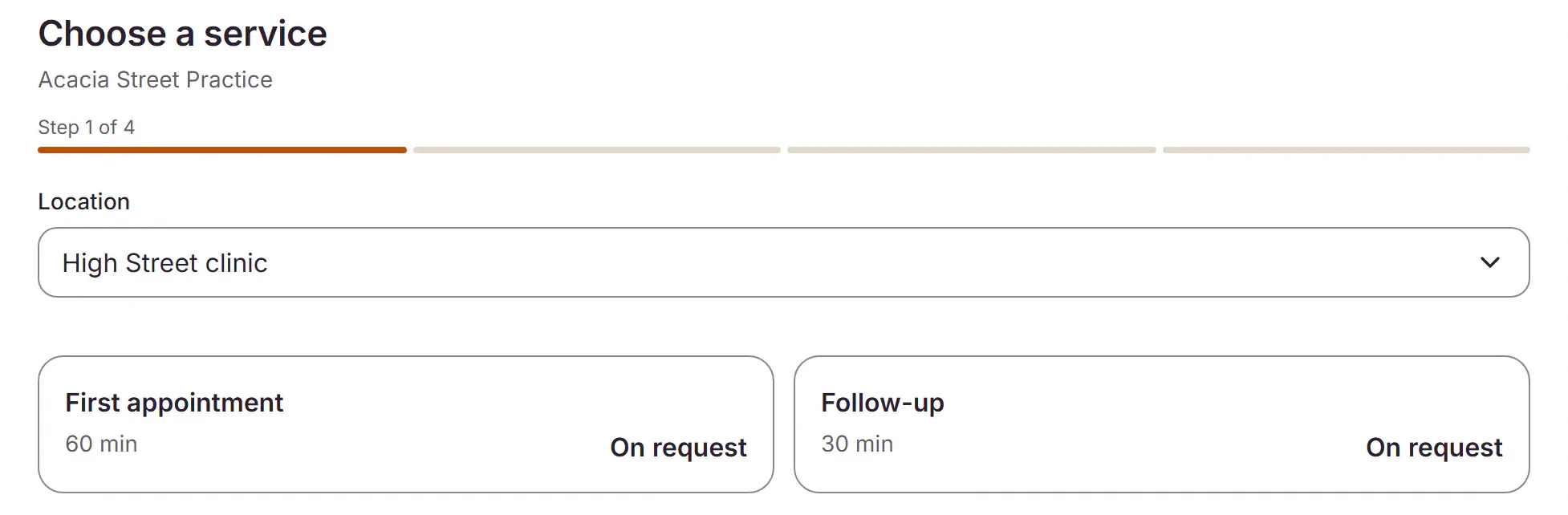 More than one location. If you have several, customers choose where they want to book.
 Your cancellation terms. Set your deadlines and what gets refunded, per service or for the whole business, or start from one of four templates. Customers see them through the link for managing their booking.


Easy to start
Start taking bookings, step by step
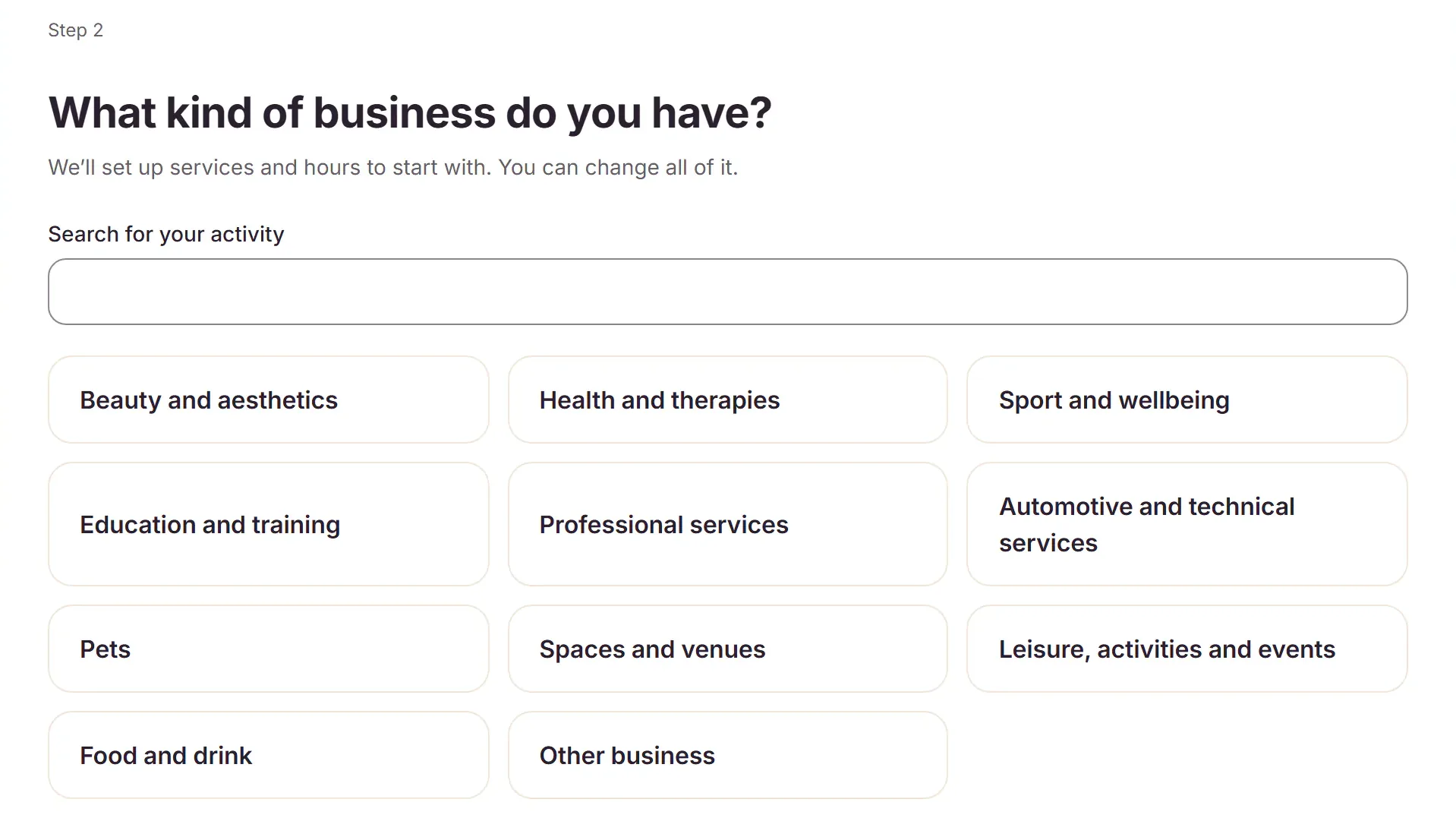
Tell us what you do. Pick your trade from more than 30 ready to go and start with your services, prices and hours already suggested, which you can change.
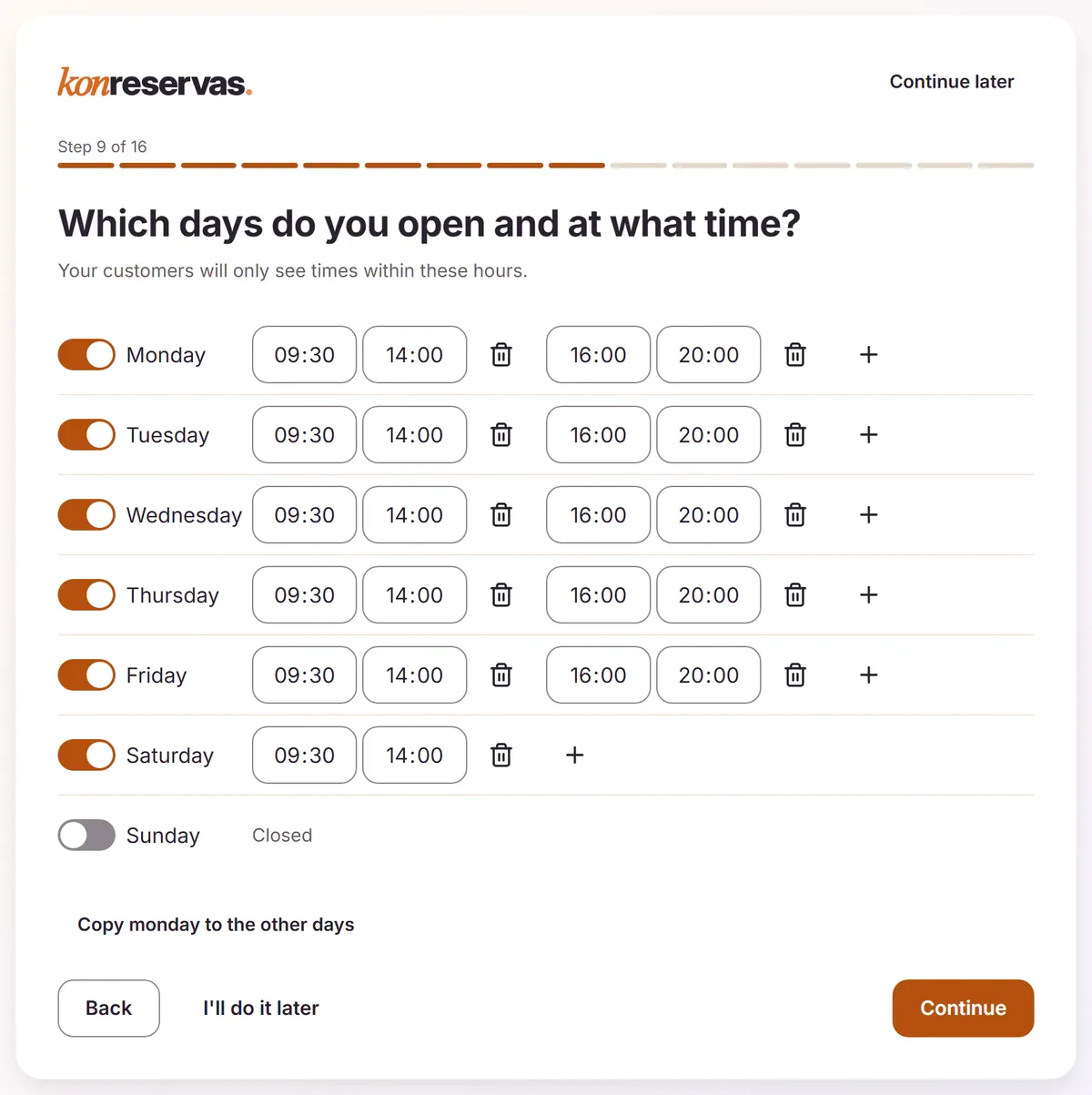
Make it yours. From the first day of your 15-day free trial, the setup guides you step by step, with everything already filled in: you only change what doesn't fit. As you set it up, you see your booking page just as your customers will.
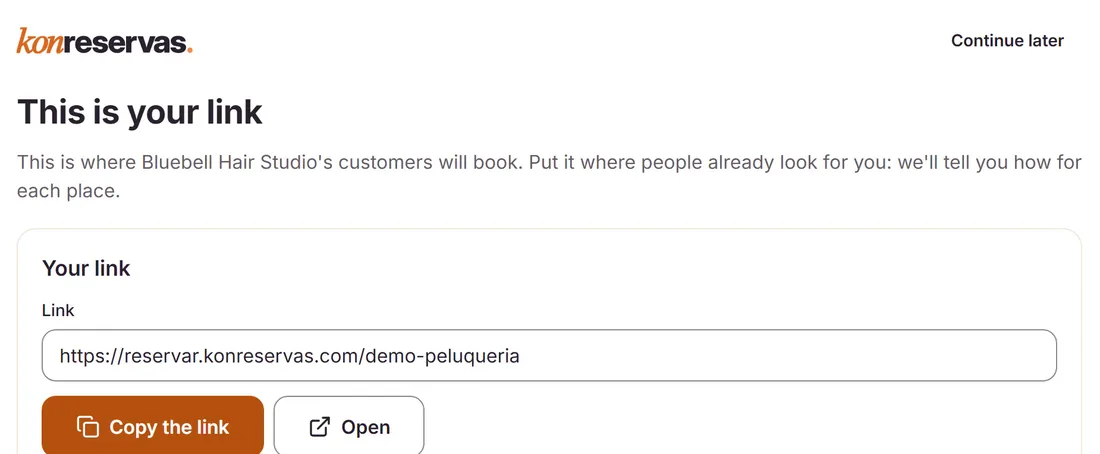 Your booking link
Share your link. Your business gets a short link with its name, like reservar.konreservas.com/
demo-peluqueria. You can change it, and the old one keeps working. 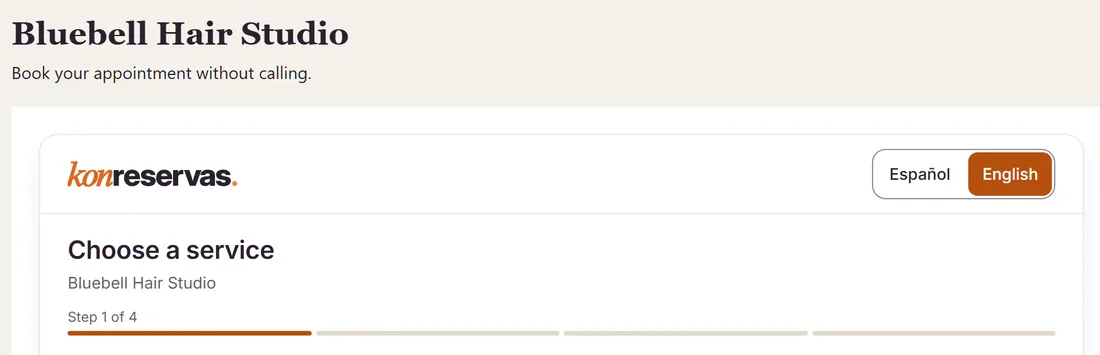 Code for your website
Add it to your website, if you have one. Copy the code and paste it in: the widget adjusts its height on its own. There's more in Booking from your website.


All you need to get started
Have these to hand and your business will be ready to take bookings in no time:
- Your services or classes. And how long each one lasts.
- Your team. Who works, and when.
- Your rooms or tables. Only if they limit your bookings.
- Somewhere to share your link. Your website, social media, messages or a sign at your premises.
- To take payment online, only if you want to. Turn it on from your dashboard whenever you need it.
Why Konreservas
- Your customers are yours. They book through your link, with no shop window full of your competitors and no fee for new customers.
- A fixed price. From €19 a month including VAT, with no minimum term. With your own payment provider, no commission per booking.
- Everything in one place. Bookings, reminders and payments, online and in store, with their invoice, delivery note or receipt, in the same dashboard.
Frequently asked questions
How much does it cost?
There are three monthly plans in euros, VAT included and with no minimum term: Essential, €19; Team, €49; Business, €79. Every plan includes the calendar, online booking, payments and reminders. Team and Business add winning back customers, reports per professional with targets and team commissions; Google reviews come included on Team and Business, and cost €10 a month, VAT included, on Essential. Team and Business also include free migration from your current software, wherever possible. With integrated payments, which you turn on with one button in your dashboard: 0.5% on each payment you take, plus Stripe's fees. Security deposits you ask your customers for carry no Konreservas fee. See Stripe fees. Konreservas charges no commission per booking with your own payment provider (your Stripe account or your bank's virtual POS via Redsys, which you connect with their keys), or for bank transfers or payment at your premises; whatever your payment provider charges is separate. See what each one includes on the pricing page.
Can you move my data over from my current software?
Yes, free on Team and Business, as long as your current software lets you export it: customers, services, team and hours, and upcoming bookings. See the pricing page.
What currency does it work in?
Konreservas works in euros (€): prices, payments and invoices.
Is the whole thing in English?
The widget, the dashboard and the login are in English and Spanish. Text you write yourself, like service names, appears as you wrote it unless you add a translation.
Do I need a website?
No. Each business gets a short link with its name, and it opens your business's booking page directly. You can share it wherever you like.
Do my customers need an account?
No. A booking asks for a name and email, and a phone number if they want to give it; the address for visits. Plus whatever the business chooses to ask.
Do I have to install an app?
No. It works in the browser, and if you prefer, with the iOS and Android app. The widget and the dashboard adapt to a phone screen.
Will it help me get new customers?
Konreservas isn't a shop window where people find you: new customers come through your own channels, your website, your social media or your sign, and book with your link without needing to be on your list already. What it does do is help people see you: after each completed appointment it can email your customer asking for a review on your Google Business Profile. It's included on Team and Business; on Essential, it's €10 a month.
Can I use it for appointments and classes together?
Yes. You can offer appointments and classes on the same account, or appointments at your premises and home visits, and the same person can't be double-booked.
Konreservas app
Your bookings, in the browser or in the app
Use Konreservas in the browser, with nothing to install, or download the app for iPhone and Android. Pick whatever suits you at the time.
- In the browserLog in with your account, nothing to install.
- In the appFor iPhone and for Android.
Apple and App Store are trademarks of Apple Inc. Google Play is a trademark of Google LLC.

Demos
Try it the way your customers would
Pick an example business in your line of work and make a booking from start to finish. It's a demo: no real booking is saved and nothing is charged.
Demo mode
- Go through the whole booking
- No booking is saved
- Nothing is charged