
Class booking
A class booking system built around places per session
Create sessions with limited places: once they're full, they stop being offered. Students book their own place, in a single class, the whole course or with their pass, and you arrive knowing who's coming.


What a class booking system gets you
Places that add up
Every session has its capacity, and the last place is sold only once.
One payment for the full course
Every date with one price and one payment.
Session passes
Passes your students buy and use booking by booking with their code.
Taking the register
Once a session has started, you mark who attended and who didn't.
Capacity
The last place, sold only once
Your yoga class has fourteen places and thirteen bookings, and two people tap at the same moment. The last place is sold once, and the other person sees it's gone without you having to write to them.
- You set the capacity of each session, and students see how many places are left when they choose.
- They can book several places and, if they wish, add the other people's names.
- If someone cancels, their place becomes available to someone else.
- Session full? With the waiting list switched on, students can join it, and a place that frees up is offered by email, and by WhatsApp if they asked, to whoever's first.
- Set a minimum number of bookings: the dashboard tells you if a session falls short, and cancelling it is your call.
How you sell
Four ways to sell your places
Choose how each class is booked, and combine the ones you need in the same business.
A class on a set date
A Saturday pottery class, a tasting or a drop-in: you create the session with its time, length and places.
Weekly classes
With a series, each date is a session with its own places, and each student books the one that suits them.
The whole course
Students sign up for every date at once, with one price and one payment.
With a pass
Customers buy a session pass and use it booking by booking with its code.
Series
Set up a whole term without going date by date
A series creates every session of a weekly timetable or a course in one go.
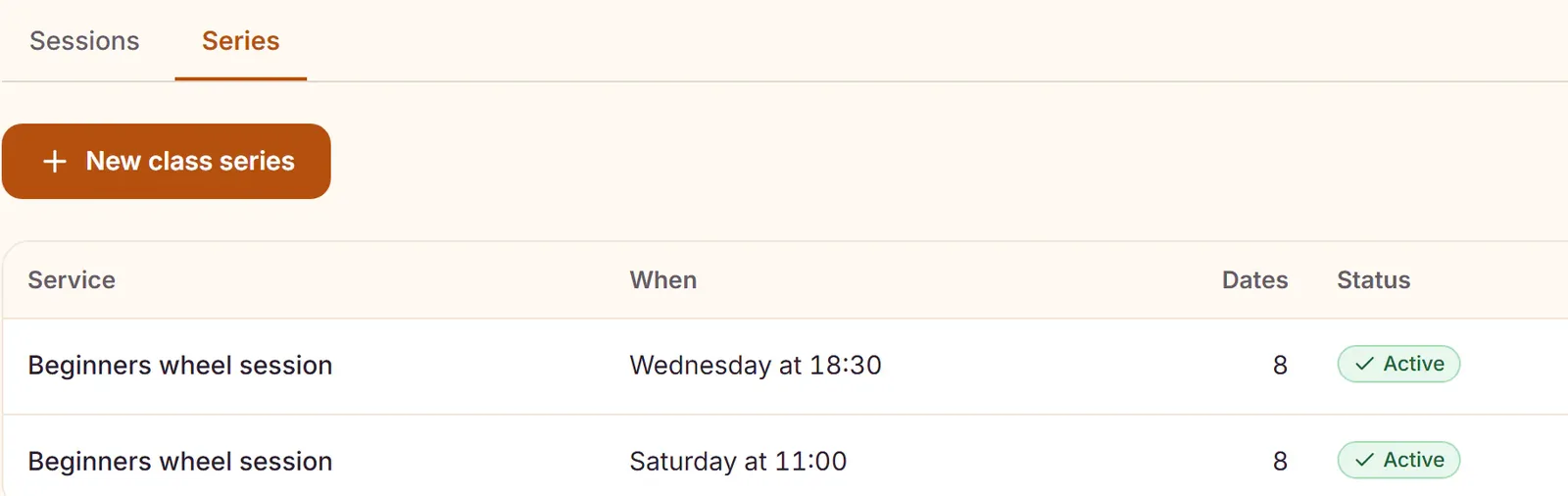
Set the rhythm
The days and time, every week, every few weeks or every month, up to an end date or a number of dates.
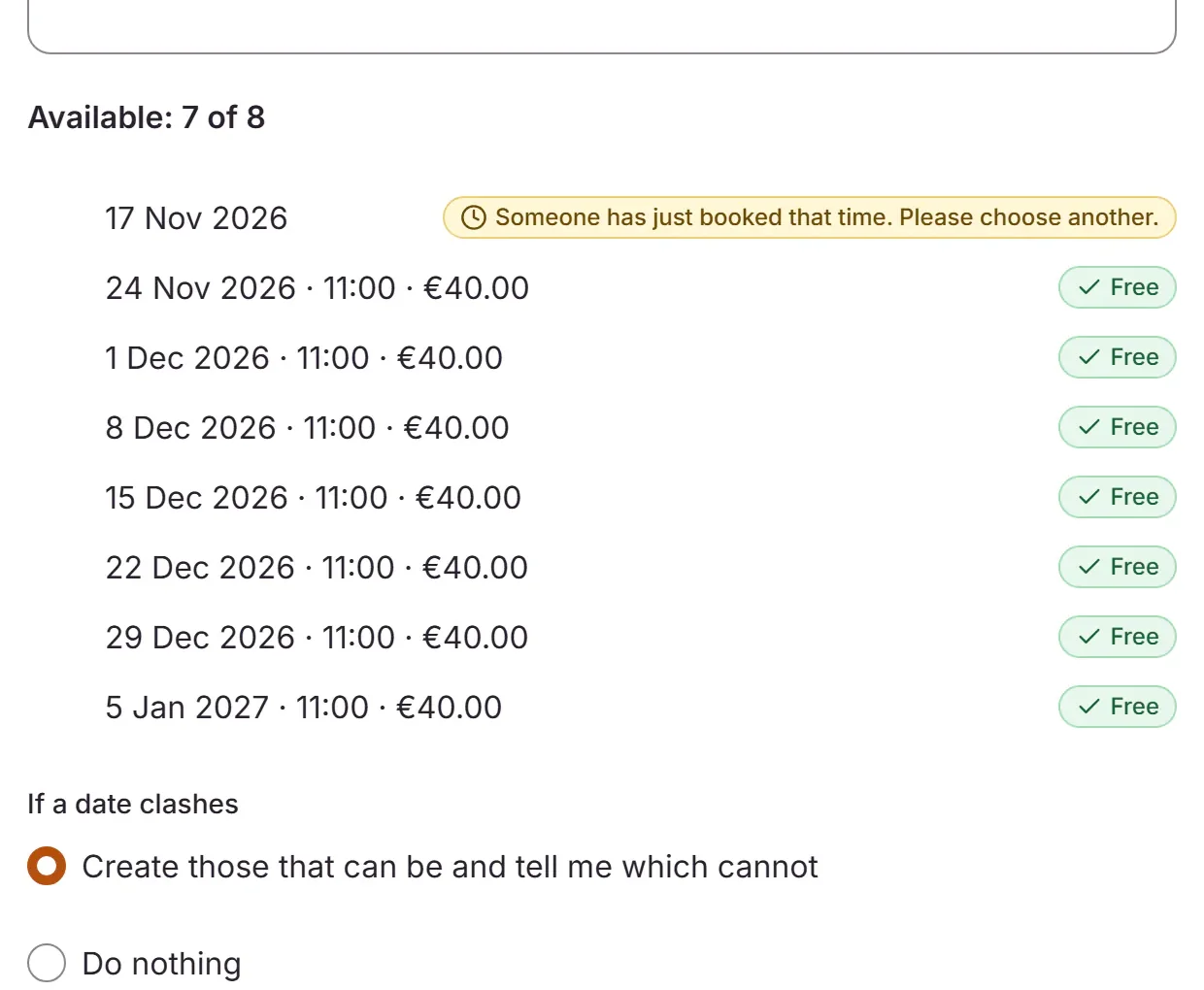
Check the clashes
Before they're created you see which dates clash, such as a room that's already taken, and choose between creating the rest or creating none.

Adjust it whenever you like
You extend the series, change future dates from a given day or move and cancel a single date, and anyone with a place is told.


Courses
Sell the whole course with one payment
Sell a series of classes as a course: students sign up for all the dates at once, with one price and one payment.
- If any date is full, nobody is enrolled halfway: every date or none.
- The person paying can give the student's name, even if it isn't their own.
- If you like, you also sell single sessions from the same series.
- And if you turn it on, people can join once the course has started, for the dates left and at the same price.


Passes
Passes your customers buy and use on their own
Sell session passes: customers buy them in the widget or in person, book with their code and see what's left in their portal.
- You choose which classes and services each pass covers, how many sessions it holds and how many days it lasts.
- You set what happens if they cancel late or don't show up: the session is used up or goes back on the pass.
- We let them know when they're running low.
- In the dashboard you see what each customer has left, adjust sessions with a reason or change the code if they lose it.
- As a present. A pass for single classes can be given too: the buyer adds a message and the send date, and the recipient gets their code with a PDF card. With a gift card for an amount, students pay part of a class from their balance and the rest however they like.


How students book
Booking a place, in four steps and with no account
Students come in through your website, your link or the QR code in the studio, and only leave their name and email; a phone number if they like.
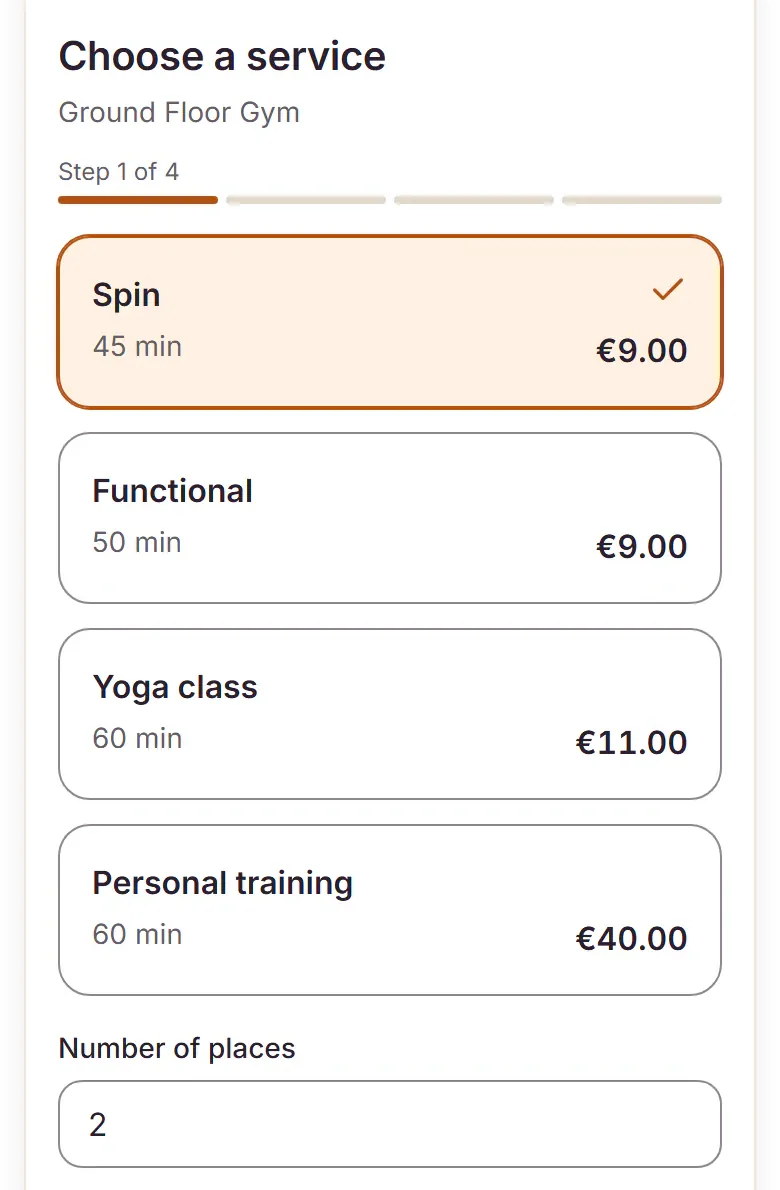
Choose the class
With its length, its price and how many places they want.
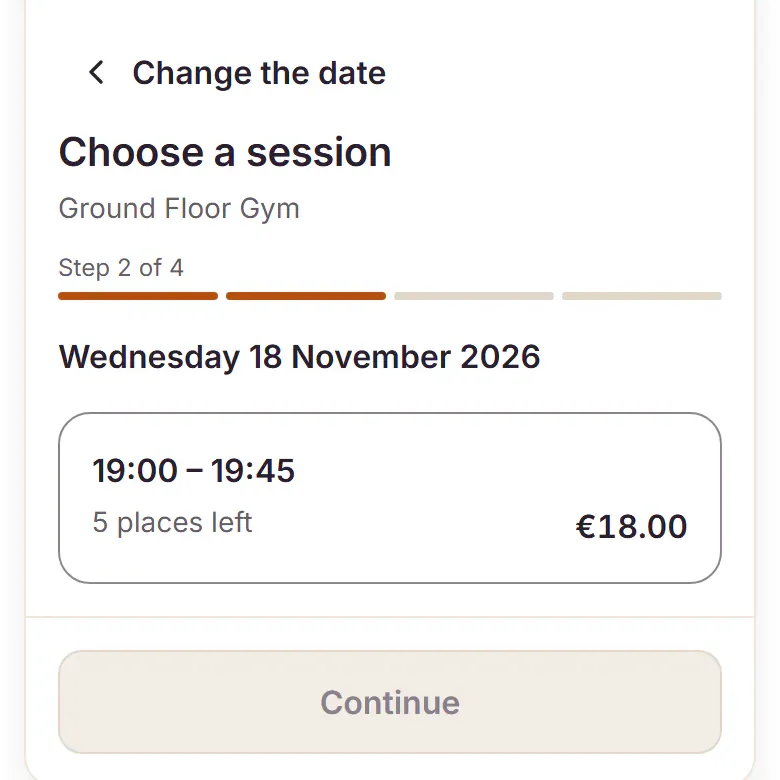
Choose the session
They see the day's sessions with the places left in each.
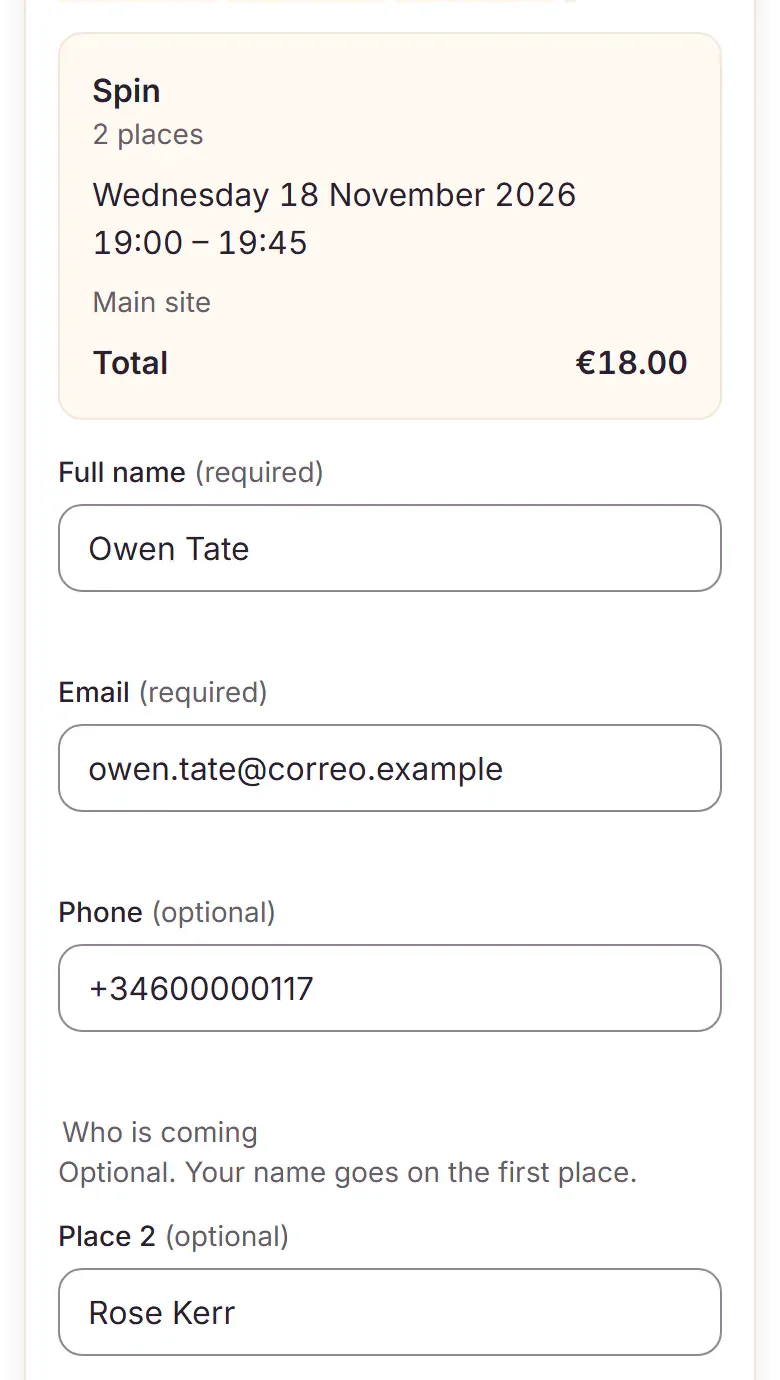
Enter their details
And answer whatever you choose to ask, such as their level, for all your classes or just some.
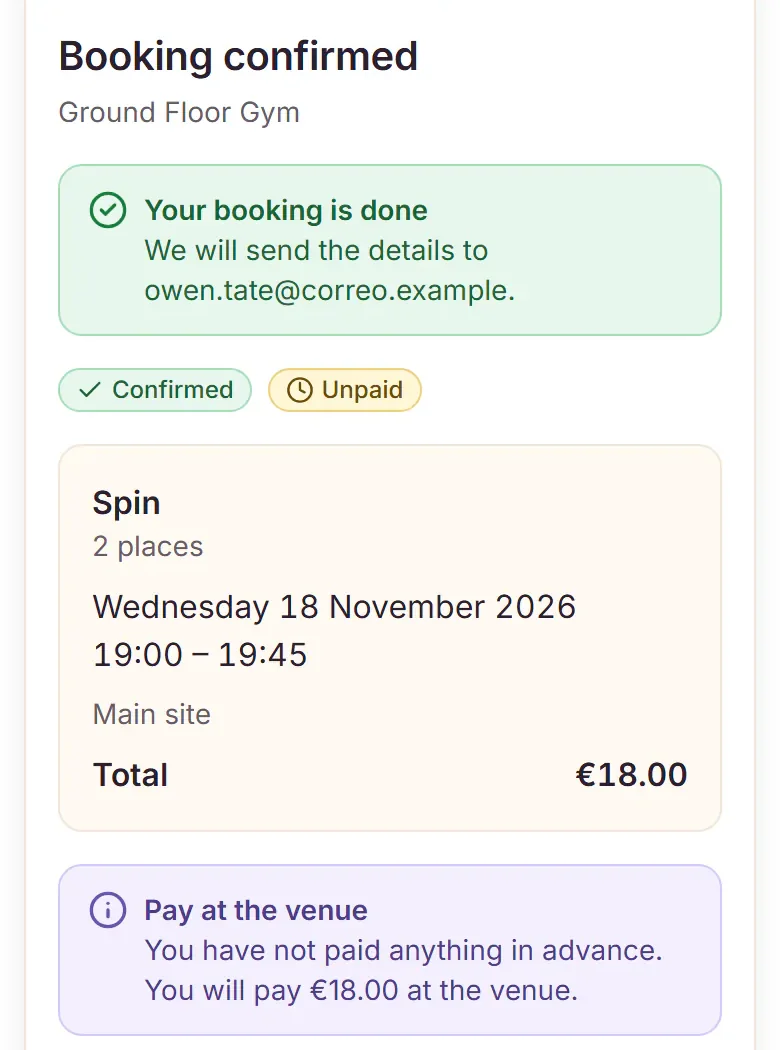
Get a confirmation
By email and in their language, with a calendar file for that session, and a reminder before the class.


On the day
Take the register and move people who change day
For each session you see the list of people signed up, with whatever name each one gave.
- With the session under way, you mark on the list who attended and who didn't.
- If someone changes day, you move their enrolment to another session with room: the price stays the same and they're told the new time.
- From the session you sign up people who call you, with several places if needed; their email is required there.
- You cancel one place or the whole session, and anyone with a place is told.
- Before cancelling a session or a date in the series, the dashboard shows you who's affected and which bookings have money paid, so you choose what happens to that money.


Rooms and teachers
Rooms and teachers, with no classes overlapping
With two teachers and one studio, classes can't overlap.
- A session can use a classroom, a studio or a court, which then can't host another session at the same time.
- If a session has a teacher assigned, the customer sees who is teaching it.
- Each teacher sees the places in their own sessions, without the students' contact details.
- Cancelling a session frees up the teacher and the room.

Taking payment
Take payment when they book, or at your premises
With Konreservas integrated payments, your own Stripe account or your bank's Redsys terminal, in euros; or you take bank transfers or payment at your premises.
Integrated payments with Konreservas (Stripe): 0.5% on each payment you take, plus Stripe's fees. Security deposits you ask your customers for carry no Konreservas fee. See Stripe fees.
Deposit or full payment
While the student pays, nobody else can take their place for the time you allow; once paid it's confirmed, and if the time runs out it goes back to the class.
At your premises
If the class has no advance payment, the place is confirmed there and then and the student pays when they arrive at your premises.
By bank transfer
The place is kept for the student until the cut-off date you choose, and is confirmed when you record in the dashboard that the money is in.
With their pass
Anyone with a pass books with its code, and the session comes off what they have left.
Before and after
From a paper list to a class booking system
What changes in your week when places book themselves.
| Without online booking | With Konreservas |
|---|---|
| You answer messages asking if there's room. | Students see the places left and book their own. |
| You count manually and sometimes one too many signs up. | The last place is sold only once. |
| You collect for the course date by date or note it in a book. | The whole course is paid in one go. |
| You keep passes on cardboard cards. | Each pass has its code, and what's left is in the portal. |
| You take the register on a sheet that gets lost. | Attendance stays with each session. |
Where it fits
Businesses that sell places
It works for any business running classes or group activities with a set number of places. See how it fits a few of them.
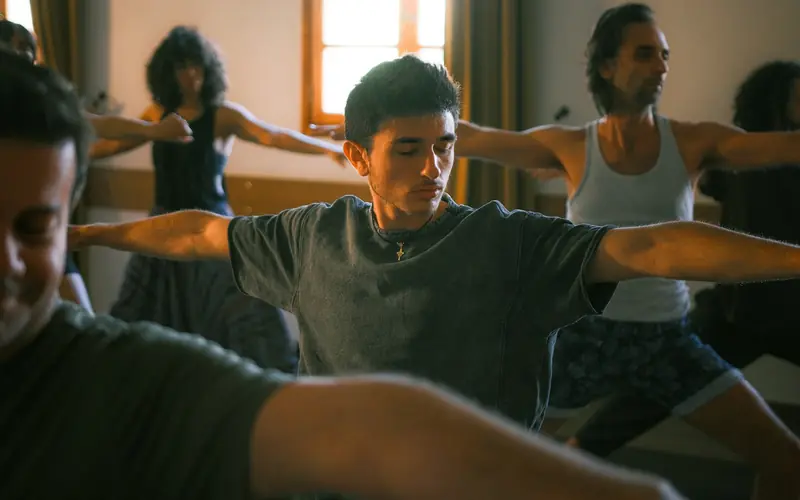




- Try the demo: Yoga studioSign up for a class with a capacity and watch the free places count down.


Frequently asked questions
Can I sell class passes?
Yes. Students buy the pass on your booking page or at reception and book each class with its code; their portal shows how many sessions are left. Each pass covers the classes you choose.
Can a class pass be given as a present?
Yes. It's bought as a gift pass on your booking page or at reception, with the recipient's name, a message and the date it goes out. It covers single classes; a whole course is paid for separately, with its own payment.
Can students book a whole term in one go?
Yes. Sell a series of classes as a course: students sign up for all the dates at once, with one price and one payment. If any date is full, nobody is enrolled halfway.
Does a class cancel itself if too few people book?
No. The dashboard tells you if a session falls short of the minimum you set, and cancelling it is your call.
What if a student comes along after every place has gone?
If that class has the waiting list on, they join with their name and email and can see their position in their customer portal. When a place frees up, the first in line is sent a link to book it by email, and by WhatsApp if they asked, held for the time you've set, and pays any deposit the class asks for right there.
How much does it cost?
What you pay doesn't depend on how many classes or students you have: a monthly fee in euros, VAT included and with no minimum term: Essential, €19; Team, €49; Business, €79. Timetables, places, courses and session passes come with all three; Team and Business include free migration of your students and timetables from the tool you use now, wherever possible. If you charge for places with integrated payments, which you turn on with one button: 0.5% on each payment you take, plus Stripe's fees. Security deposits you ask your customers for carry no Konreservas fee. See Stripe fees. Places you charge for through your own Stripe account, your bank's virtual POS via Redsys, bank transfer or at reception carry no commission per booking from Konreservas; what your payment provider charges is separate. The detail is on the pricing page.
These are children's classes. Can a parent book?
Yes. They book in their own name and, if they take several places, can add the other people's names. On a course, the person paying can give the student's name. Managing minors and consent stays outside the system.
Do my students have to install anything?
No. They sign up with your link in the browser on their phone or computer, and booking fits any screen. The iOS and Android app is for you and your teachers.
Your classes, with every place counted
Start with the classes you already run and the timetable you already have.