
Appointment reminders
Appointment reminders by email, as far ahead as you choose
Reminding each customer shouldn't be one more job in your day. Konreservas sends the confirmation, the reminder and change and cancellation notices by email, in each customer's language, and on WhatsApp too for anyone who asks when they book.


What appointment reminders get you
They go out on their own
Confirmations, reminders, changes and cancellations, with no typing.
On WhatsApp too
For customers who tick the box when they book.
When you want
Days or hours ahead, and more than one reminder if you need it.
In their language
Each customer gets their notices in English or Spanish.
Automatic WhatsApp notices, for anyone who asks
When booking, customers tick a box and get the confirmation, the reminder and any change or cancellation notices on WhatsApp, in their language. They come on top of the emails.
Only for those who ask
The box is optional: if customers don't tick it, they just get the email.
Pick which notices
The confirmation, the reminder, a time change or a cancellation, each with its own switch and separate from email. The reminder goes out at the same time as the email one.
Messages in packs
WhatsApp messages are separate from your plan: you buy them in packs from your dashboard, only if you use them. They don't expire or renew by themselves.
Low balance alert
We email you when you're running low. If they run out, notices stop going out on WhatsApp, but the email still arrives.
See what happened
The dashboard shows each message: scheduled, sent, delivered or read. If one doesn't go out, it goes back to your balance.
Everything they need to know
The message has your business, the service, the date and time and, except for cancellations, the link to manage the booking.
Your own message
From the booking, a ready-written WhatsApp you send yourself
On top of the automatic notices, from a booking's details you can open WhatsApp with a message already written and send it yourself.
- Tap “Remind on WhatsApp” and WhatsApp opens with the message written.
- The message is in the customer's language, with their name, your business, the date and the time. You check it and send it.
- It's handy for the customer who never looks at their email, or the appointment you don't want to leave to chance.
- It's for the people who manage bookings, as long as the customer gave a valid phone number.

By email
What your customer gets by email
Every booking with an email address has its notices, from confirmation to the day itself.


The confirmation
An email with your business, the service, the date and the time, once the booking is confirmed, with the link to manage it without an account.
The reminder
Another email, before the appointment, as far ahead as you choose. It's separate from the confirmation, and each booking has its own.
Changes and cancellations
If the booking changes or is cancelled, the customer gets an email saying what's happened.
The calendar file
The confirmation email includes a calendar file, and when the booking is done they can also download it with a button. They have to open it to save the appointment.
The amount, once you know it
If they booked a service priced on request and you set the price afterwards, they get an email with the figure and the link to their booking.
With your business logo
If you've uploaded it in the dashboard, it goes on every email your customer gets, so they know straight away who's writing.
You choose when
Appointment reminders as far ahead as you choose
To start with, one reminder goes out a day before. In the dashboard you change it to days or hours, and you can set more than one.
- A barber might go for the evening before; a tutor with a morning lesson might prefer two days, to leave time for a change of plan.
- The confirmation, time changes, cancellations and reminders each switch on or off separately.
- It works with every way of booking (appointments, classes, home visits or tables), as long as the booking has an email address.


No calls
Changes and cancellations through the email link, with no account
The email includes a link so customers can manage their booking without an account. What they can do depends on your policy: with none, they can request a cancellation and you review it.
- They see their whole booking: the service, the day and time, who with and where.
- With your cancellation policy, they cancel themselves within the deadline, and you see it in your diary.


Regular customers
If you set up a series of appointments, each one gets its reminder
From the dashboard you can create a series of appointments for a customer with an email address, and see first which dates clash. For notices, a series works like this.

Just one confirmation
For the first date. It doesn't list the others.
One calendar file
For the first date.
A reminder per appointment
Each appointment in the series can have its own before it arrives.
For you
What comes to you and your team
An email when a customer books, changes or cancels online. Bookings you add to the dashboard yourself don't trigger that notice, since you already know.
- With “Tell my team about new activity”, the email goes to your admins, the professional on the appointment and, if you add one, the business inbox, each in their own language.
- It also tells you about requests waiting for an answer, cancellation requests, pending transfers and session passes sold.
- Under “Latest messages” you check every email that has gone out or is about to, and the reason if one wasn't sent.
- If you're running low on WhatsApp messages, you get an email before they run out.
- What's coming up today is there at a glance in your dashboard diary.
Google reviews
After the appointment, an email asking for a Google review
You paste the review link from your Google Business Profile into the dashboard and switch the notice on. When you mark an appointment as done, your customer gets an email with your business name, for example “How was Peluquería Lirio Azul? Leave us a review on Google”, with the link to your listing.
A few hours later
You choose how many, from 1 to 72. By default it goes out 2 hours after the appointment ends.
Only completed appointments
Never after a cancellation or a no-show, and not for test bookings or demos.
Everyone alike
There's no filtering for customers who seem happy: Google forbids it. Each customer is asked once every 60 days at most.
One-click unsubscribe
The email itself carries a link to stop further requests from your business.
By email only
In your customer's language, with your business logo if you've uploaded it.
Depending on your plan
Google reviews come included on Team and Business; on Essential, they're a paid add-on, at €10 a month with VAT included, that you switch on from the dashboard.
Win back customers
Win back customers: a reminder for anyone who hasn't booked for a while
Some customers don't leave, they just lose track. With “Win back customers”, when someone goes longer than usual without coming back, they get an email with your booking link so they can book again and, if you use WhatsApp in your business, a WhatsApp message too, if they agreed to receive offers when they booked; on WhatsApp it comes out of your message packs. It comes switched off: you turn it on in the dashboard whenever you like.
It's included on the Team and Business plans, during a free trial of either of them too. Essential doesn't include it.
Each service, its own rhythm
For each service you decide after how many weeks without a visit the email goes out, or leave the service out so it never triggers one.
Your wording, in two languages
Start from a template in Spanish and one in English and change them as you like. They can include the customer's name, your business, the service, the booking link and, if you want, a discount code.
No nagging
Each customer gets one message per cycle at most, and your business has a daily sending cap.
Unsubscribe in every email
Every one carries a link to stop receiving marketing messages. Anyone who unsubscribes doesn't get them again.
On WhatsApp too
If you use WhatsApp in your business, you choose whether it goes by email, by email and WhatsApp, or by WhatsApp only. On WhatsApp it only reaches customers who agreed to receive offers when they booked, and it comes out of your message packs.
See what it brings back
The dashboard counts the messages sent, the customers who booked again and what you billed for those appointments.
When to send it
How often to send it, with examples by sector
When you turn it on, each service starts from a period suited to your sector, which you can change. They're a guide: you know your customers.
| If your business is… | The email goes out after… |
|---|---|
| Hair salon, a cut | about 7 weeks without coming back |
| Hair salon, colour | about 5 weeks |
| Barber's | about 4 weeks |
| Nails | about 3 weeks |
| Lashes, extensions | about 3 weeks |
| Lashes, lift | about 7 weeks |
| Beauty treatments | between 5 and 8 weeks, depending on the treatment |
| Physiotherapy | about 6 weeks |
| Yoga and Pilates | 2 weeks without coming to class |
| Psychology and mental health | Nothing: here it comes switched off, with no suggested text |
| Any other business | 8 weeks |
In their language
Every notice, in each customer's language
Someone who books in Spanish gets their emails and WhatsApp messages in Spanish, even if you work in English. There's nothing for you to remember.
- Konreservas writes the emails, in English or Spanish.
- The message you send yourself from the booking is in their language too.
Before and after
From reminding people one by one to appointment reminders that send themselves
What changes in your day when notices go out on their own.
| Reminding manually | With Konreservas |
|---|---|
| You ring tomorrow's customers at the end of the day. | The reminder goes out on its own, as far ahead as you choose. |
| You send messages one at a time between jobs. | By email to everyone, and on WhatsApp to anyone who asks. |
| People call you to cancel. | Customers manage it with the email link, under your policy. |
| Each customer notes the appointment however they can. | The confirmation email has a calendar file. |
| You write in another language to people who don't speak yours. | Each customer gets their notices in their language. |
Where it fits
Businesses where a forgotten slot leaves a gap
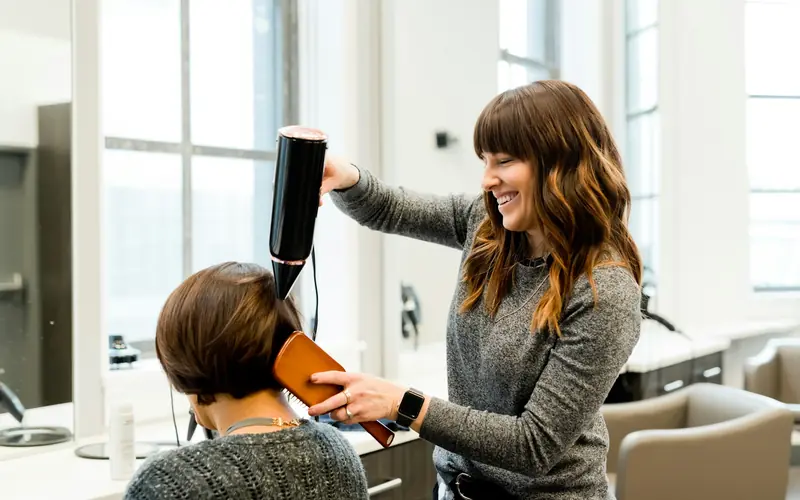
It works for any business with appointments, classes or tables. In these, a timely reminder makes more of a difference.



- Try the demo: Dog groomerBook a slot at the example dog groomer's and see the details it asks for before any reminder goes out.


Frequently asked questions
Can I send reminders on WhatsApp?
Yes. If customers tick the box when they book, they get the notices you choose on WhatsApp, with messages you buy in packs from your dashboard. And from any booking you can open WhatsApp with a message already written.
How far ahead do reminders go out?
You choose, in days or hours. To start with, one goes out a day before, and you can set more than one.
Can customers cancel from the email?
The email includes a link so they can manage their booking without an account. What they can do depends on your policy: with none, they can request a cancellation and you review it.
Does it add itself to their calendar?
No. The confirmation email has a calendar file for the customer to open, and they can also download it when the booking is done.
Can I change the wording of the emails?
No. Konreservas writes the emails, in each customer's language.
Can I ask for Google reviews after the appointment?
Yes, by email. You paste your Google review link into the dashboard and, when you mark the appointment as done, the request goes out as many hours later as you choose, to all your customers alike and at most once every 60 days. It isn't sent on WhatsApp.
Can I message customers who haven't been back for a while?
Yes, with “Win back customers”, on the Team and Business plans. You turn it on in the dashboard, choose for each service after how many weeks the email goes out, and every message carries its unsubscribe link. It goes by email and, if you use WhatsApp, on WhatsApp too to customers who agreed to receive offers when they booked.
How much does it cost?
Email reminders come within the monthly fee, in euros, VAT included and with no minimum term: Essential, €19; Team, €49; Business, €79. WhatsApp ones are paid for with separate message packs, only if you use them. Email reminders go out the same way on any plan, with the calendar file and the link to manage the booking without an account, and Team and Business include free migration of your customer list, wherever possible. Every plan includes the calendar, online booking, payments and reminders. Team and Business add winning back customers, reports per professional with targets and team commissions; Google reviews come included on Team and Business, and cost €10 a month, VAT included, on Essential. If you also take payment at booking with integrated payments, which you turn on with one button: 0.5% on each payment you take, plus Stripe's fees. Security deposits you ask your customers for carry no Konreservas fee. See Stripe fees. If you take payment through your own Stripe account, your bank's virtual POS via Redsys, bank transfer or at your premises, Konreservas charges no commission per booking; whatever your payment provider charges is separate. The amounts are on the pricing page.
Stop reminding people one by one
Choose how far ahead the reminder goes out and start taking bookings.